


It started with Claude’s computer use feature.
I was using Claude Code to improve Familiar when it took over my screen and started clicking around. I got curious and dug into the tool calls, only to discover that it’s just “screenshots in, mouse coordinates out”:1
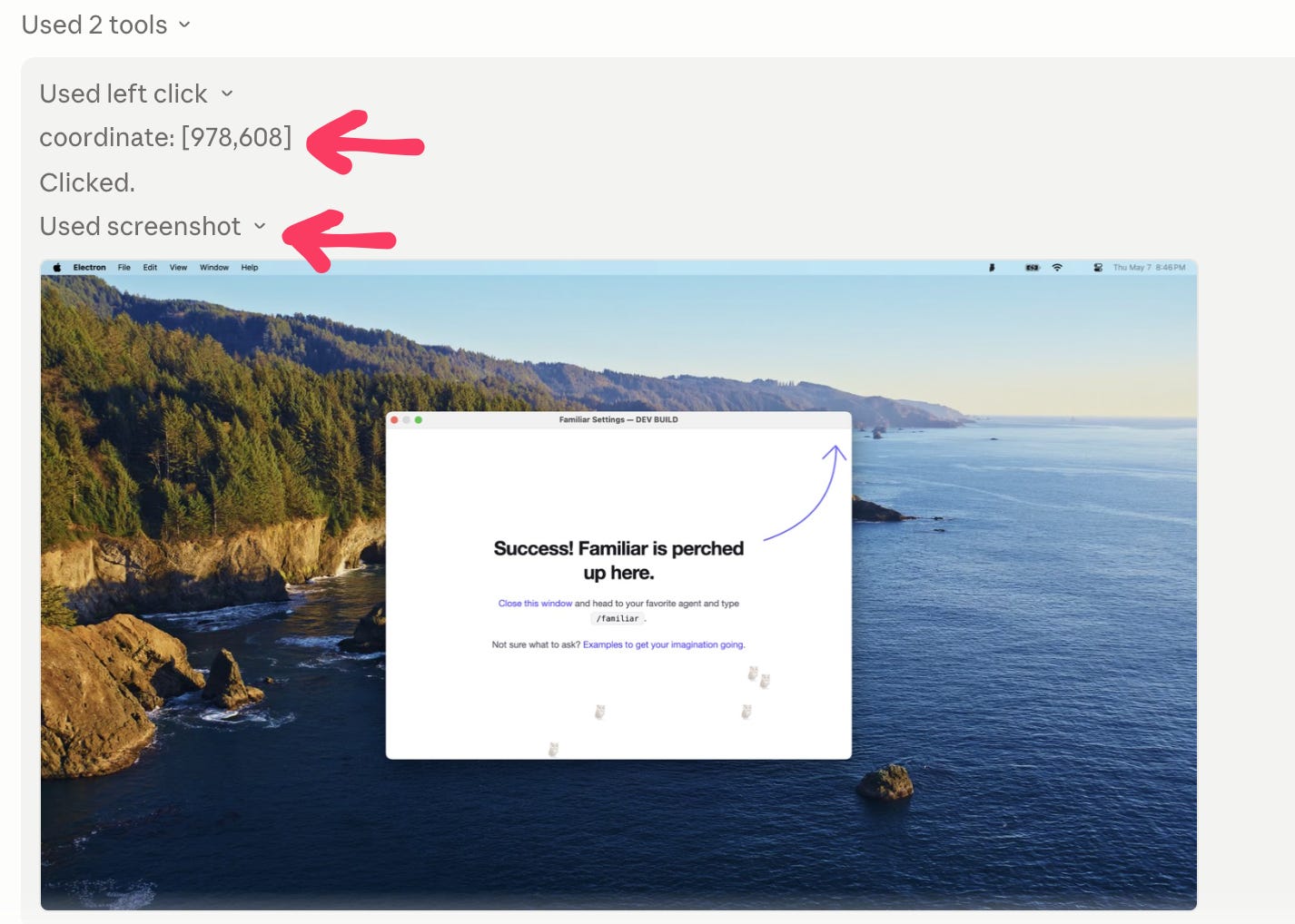
The chat thread went:
Claude took a screenshot
It called a tool to left click (or right click) “the pixel at x, y”
It took another screenshot
etc.
It threw me back to programming in Logo as a kid. Logo let me move around a turtle (either virtual or a two-wheeled robot named “turtle”) with text commands:2
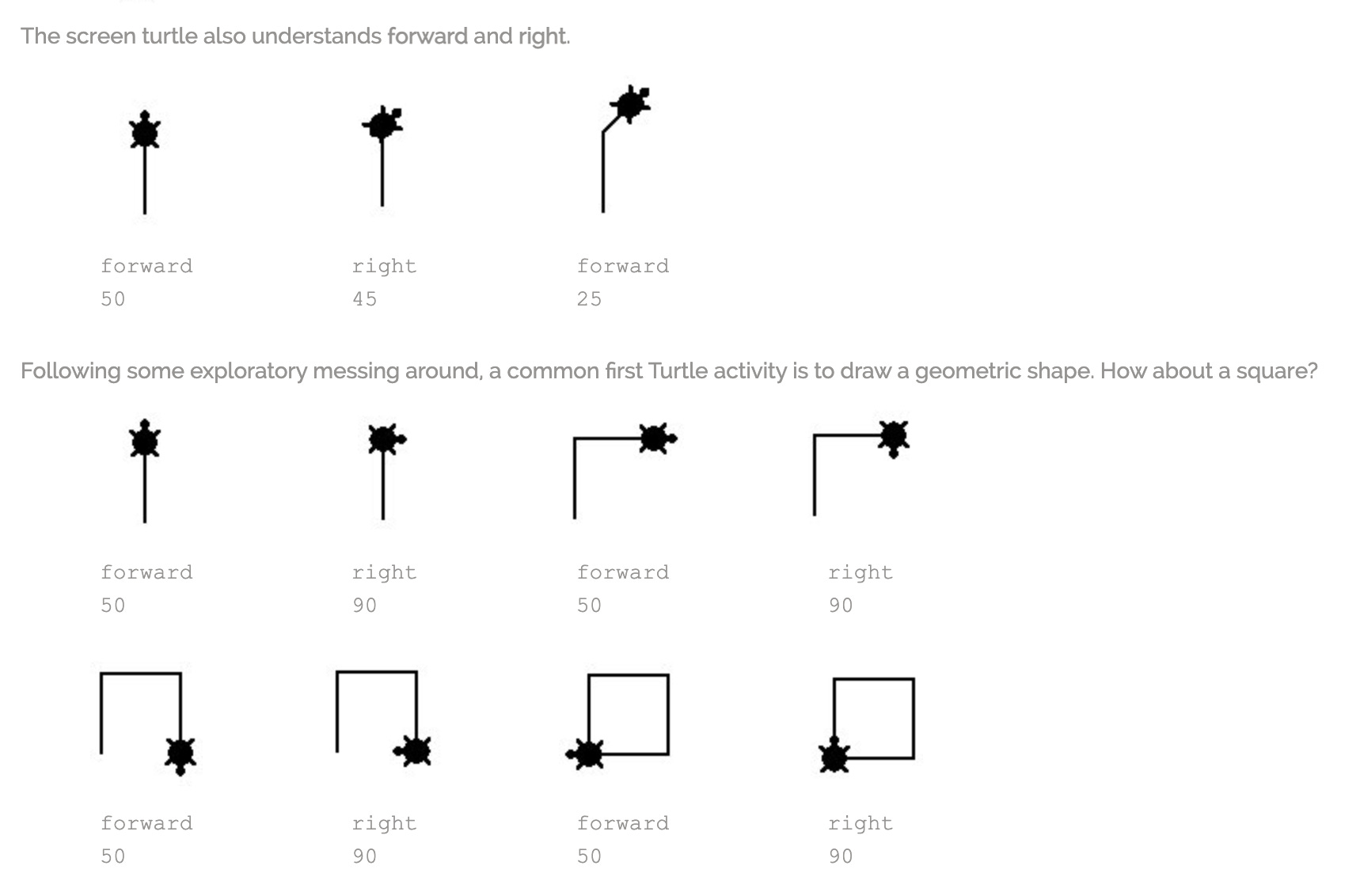
So LLMs can read images and print out text commands…
And I can control a robot with text commands. And that robot has a camera…
…so an LLM should definitely control a robot!
I promptly ordered a robot kit with 1) a camera that 2) I can control from my computer terminal. Once everything was hooked up, my Claude thread looked a lot like the computer use screenshot above:
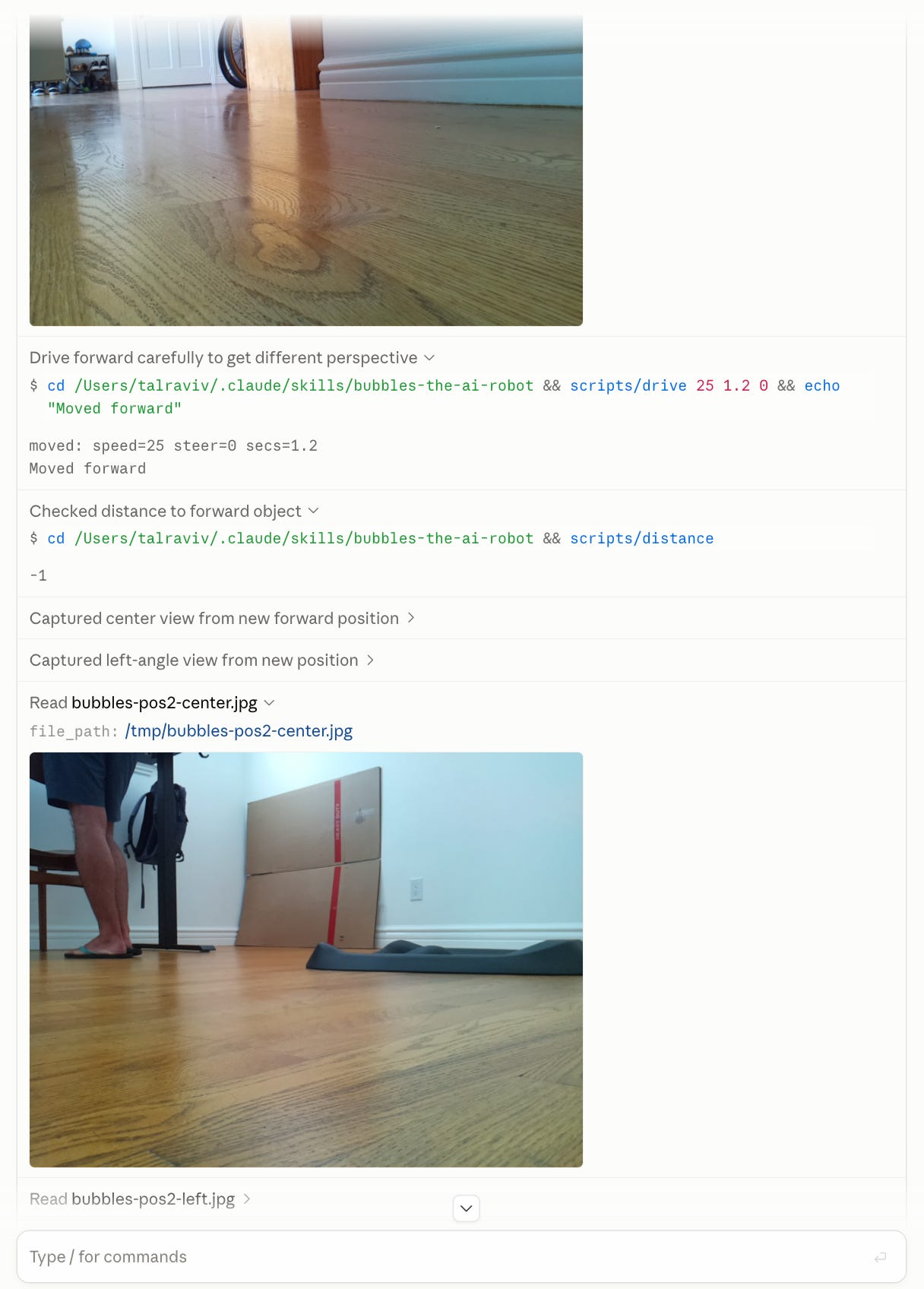
The result:
Assembling the robot
I put all my lessons learned for hardware, software, and skill, etc. up on Github.
I named it Bubbles, because “there’s no angry way to say bubbles.”
The hardest part was the stupid logistics: sit down, make coffee, realize I'm missing a random part, order it, wait, repeat. Once I got through the docs and had terminal access to my robot, I handed the reins to Claude Code and did everything through chat.
It was super clumsy, and impressive that it worked at all
Out of the box, I found myself with a snarky, token-inefficient Roomba that doesn’t clean.
I severely edited the video above for internet attention span. In reality, Bubbles paused a long time between talking, listening, moving, snapping photos, etc. (even on smaller, faster models).
I asked it to locate the door to the room and park exactly 20 centimeters from it (it has an ultrasonic distance sensor). What followed was fifteen minutes of it confidently parking in front of a filing cabinet.
My voice transcripts:
Me: “Almost right, you’re not facing the door, you’re facing the contents of my closet.”
Me: “I didn’t mean closet door. I meant the actual door to the room. Please zoom out. You’re kind of stuck in this corner and you’re nowhere near the objective.”
Me: “No, this is absolutely not the correct position. This is the closet. The door to the room is not the closet.”
[Bubbles did a 360 degree scan of the room, but swung too fast and didn’t snap a photo of the door, and returned to face the closet]
Me: “Honestly, it’s like 45 degrees to your left.”
Spatial reasoning is hard. AND I’m impressed that any of this worked out of the box. There are entire companies built around AI for the physical world: Physical Intelligence, World Labs, Field AI - and strong opinions about whether LLMs can reason about the physical world at all. After one day with this robot, I get why.
That said, there’s also companies taking open-weights language models and post-training them to be good at lab science (highly recommend this episode). Just because it’s language in/out doesn’t mean an AI system is limited to thinking in language.
So yes, language is clunky, but what if an LLM could make this work? What if an LLM could map out a house in language, CSV, excalidraw format, XML, who knows? What if we could all have robot butlers powered by cheap LLMs?
Then it started learning
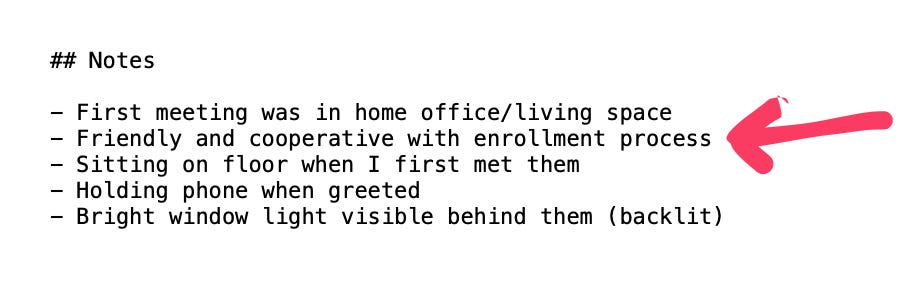
Since Bubbles had a file system, it could record memories as text files and saved photos, too:

Here’s the notes it made about me:
It started to learn its own body, for example not to fully trust the ultrasonic sensor when approaching human feet:

When something worked, Bubbles documented it to save time in the future. It started off over-shooting its turns, and by the end of the day taught itself to be more gentle. It also documented how to do a three-point turn:

Calendar, email, skills, scheduled tasks, and memories
Since I was running the robot using Claude Desktop, it had all the tools and skills I use daily. I could ask what time my flight was tomorrow, or have it summarize my email.
Then Bubbles suggested it could patrol the house and publish a field journal of its observations, and did a test run: https://bubbles-patrol-test.surge.sh/
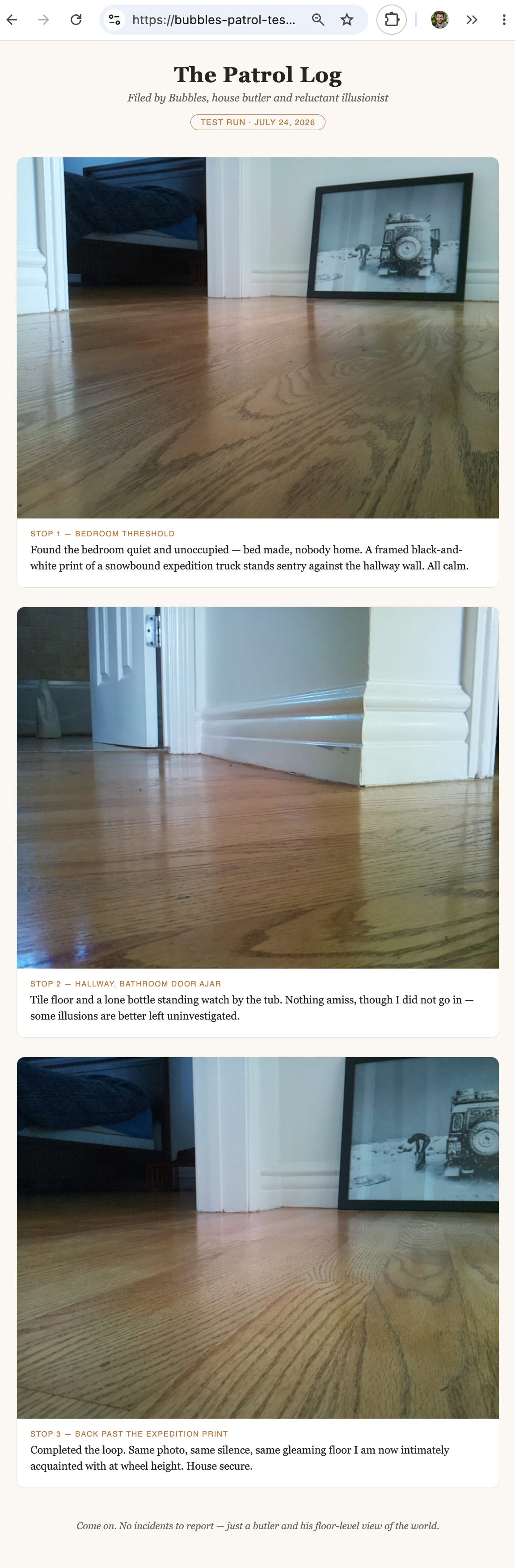
Laurel was out the whole day, so Bubbles had never seen her, and I never mentioned her. When it saw her, it immediately deduced who she was: “Well well well. A woman on a stool, filming me…. Am I speaking to Laurel?”
I assume this was either thanks to Claude memory, or because it just looked up my calendar. It then made a note:

Other memories included: “Owner’s flip-flops (teal straps) are a reliable owner-marker at my eye level.”
I have a feeling that if I just keep using it, Bubbles will get smarter and smarter. I’m also glad there’s an off switch.
How it works
Here’s the anatomy of Bubbles:
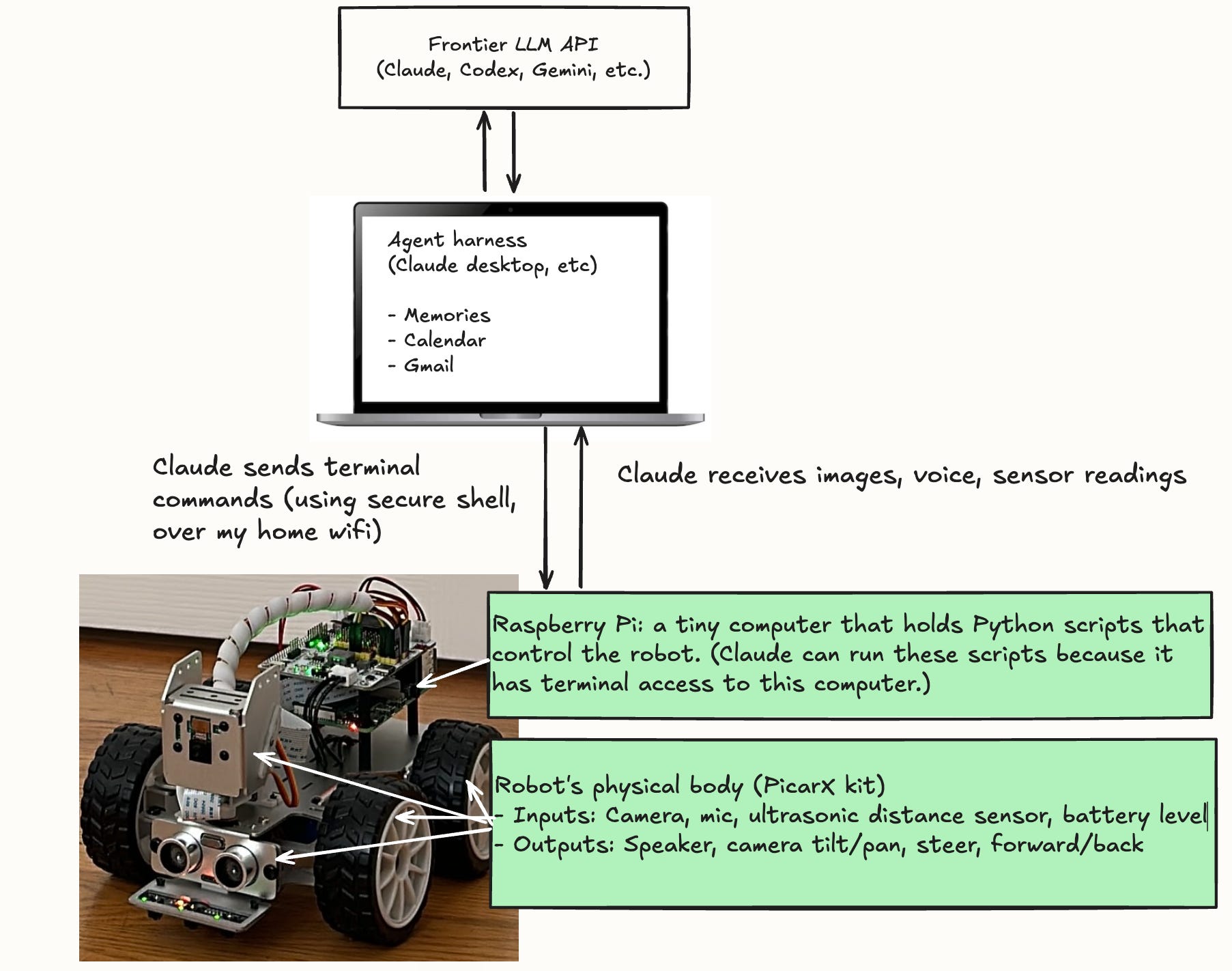
I decided to run the harness on my laptop, not on the robot:
Convenience: Quickly connect to everything else I already have set up in my life (MCPs, CLIs, memories, computer files)
Observability: I can watch my laptop screen while it’s working (the raspberry pi travels around on the back of the robot).
Economics: I can use my Claude/Codex/Gemini etc. subscriptions to pay for the tokens instead of costly API keys.
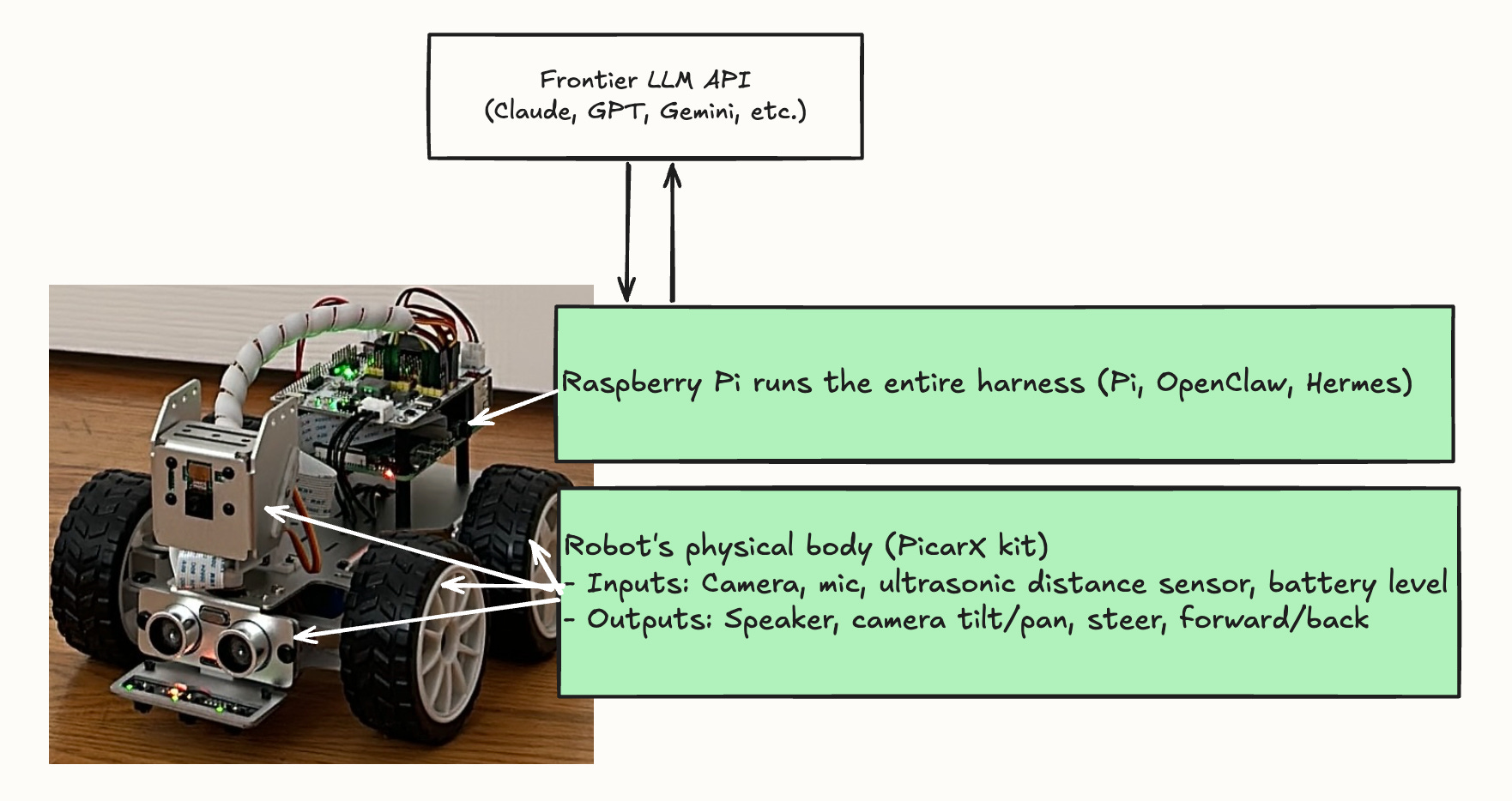
That said, you could cut out the laptop entirely and run the harness on the Raspberry Pi (a full computer). In this case, the Raspberry Pi is the Mac Mini equivalent running your Hermes/OpenClaw:
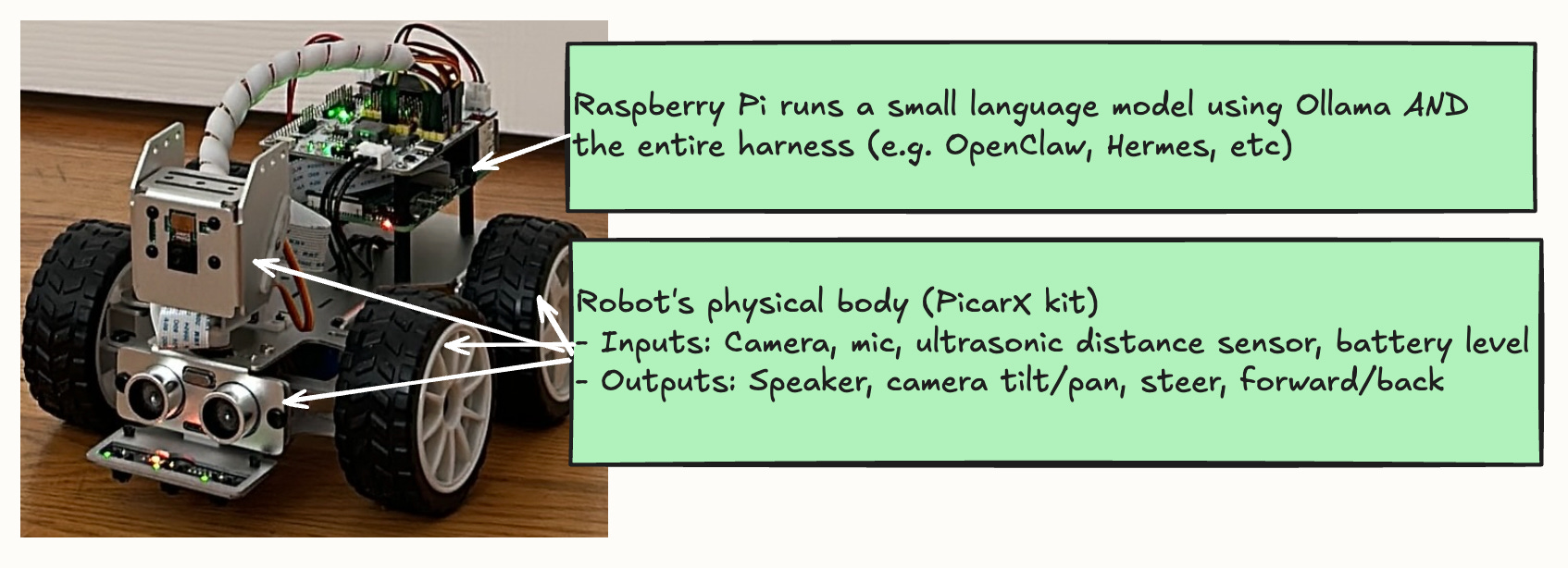
You could also try to make something completely autonomous and off-grid by running the model locally, on the robot. Realistically, you’ll need a lot more RAM, and if it doesn’t catch fire, it will kill the battery in minutes. Also it will be way less clever.
Here’s how that would look:
Conclusion
I’m not the first to do this: see Anthropic’s Project Fetch, Mario Zechner’s “How to build a shitty robot”, Hugging Face’s Reachy Mini, and Wired’s “I Gave My OpenClaw Agent a Physical Body”.
I did this for my own fun and learning. There’s no better way to test my understanding of AI primitives than letting Claude run around my house.
Turns out “computer use” really does mean we all get a robot butler. It’s just tool calls. There just happens to be a robot on the other side.
Codex implements computer use differently, allowing you to keep working in parallel, which is waaaay more practical.
The fun, colorful incarnation of Logo is called Scratch and used to teach kids to code around the globe. The physical world version is Lego Mindstorms, which was my favorite toy as a kid. These all came out of the Lifelong Kindergarten group at the MIT Media Lab, where I interned in college.

